Overview
- Imports Orders
- Stock Sync
- Push Tracking & Dispatch Status
- Import Products & Pricing
- Filter Orders By Store ID
Magento Setup
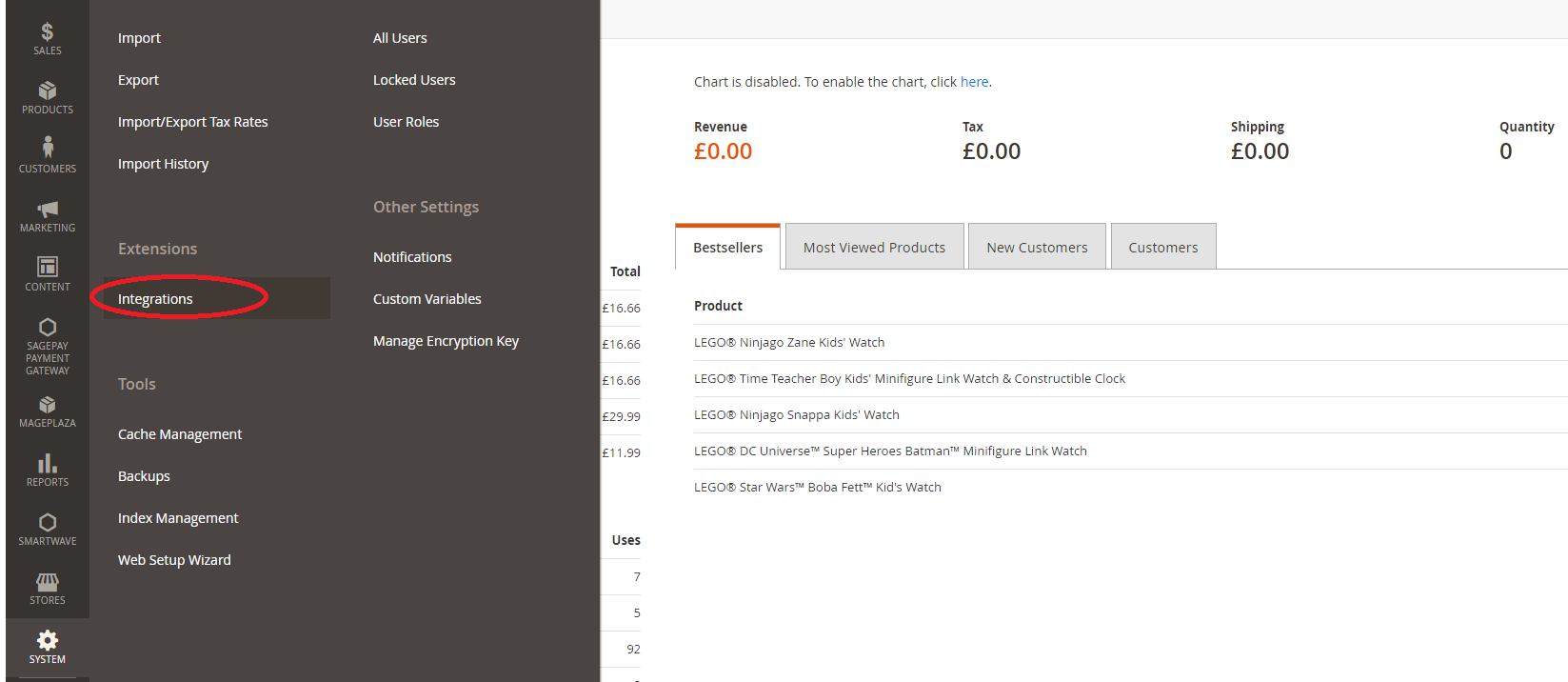
On Magento, navigate to System > Integrations. Click the "Add New Integration" button and enter the name as "Fulfillable"
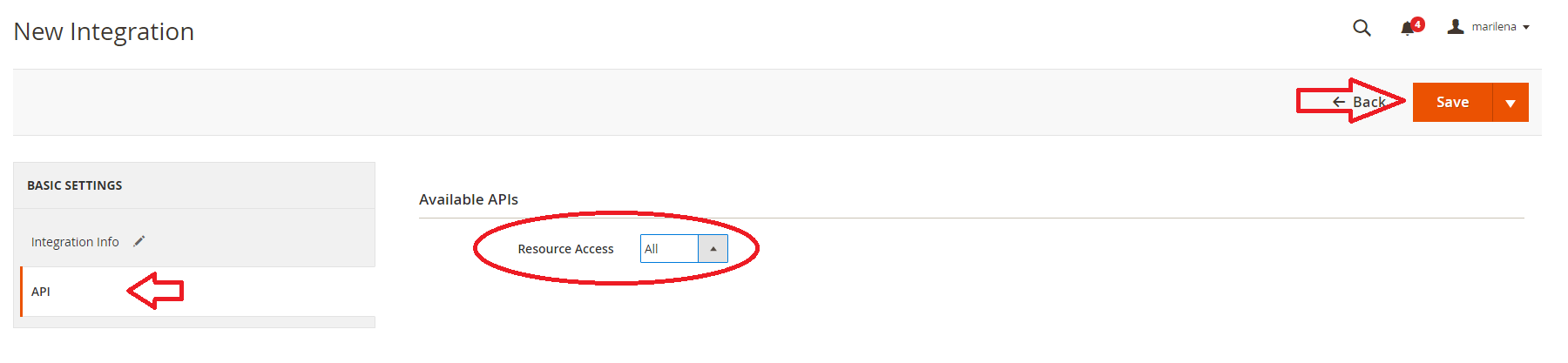
On the API tab grant full resource access
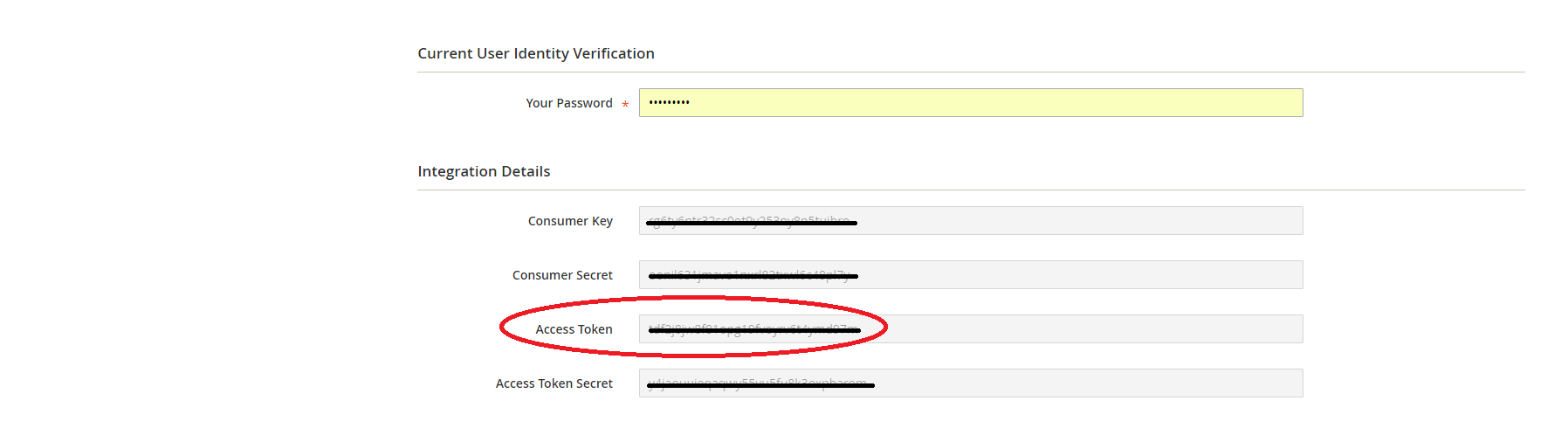
Finally activate the connection and copy the access credentials
Fulfillable Connect Setup
Navigate to Connect > Order Integrations > Magento

Click the green "Create New" button

Enter the URL key and API key from Magento

Please enter the "Version" as MAG_2_0 if you are using Magento version less than 2.3. If using 2.3 or higher please select MAG_2_3_0.

Magento will now be connected. Please make sure to test the sync by creating some test products and orders.
Advanced
Fulfillable has many advanced options for Magento 2. Most of these options are self explanatory. If you need further assistance please contact your account representative.
Comments
0 comments
Please sign in to leave a comment.