Overview
- We usually issue invoices fortnightly however you can request monthly billing if required.
- Invoices are fully transparent and you can view a breakdown to see exactly what you have been charged.
- If you would like to see your current spend before your invoice has been issued please contact your account manager.
How To View Your Invoice Breakdown
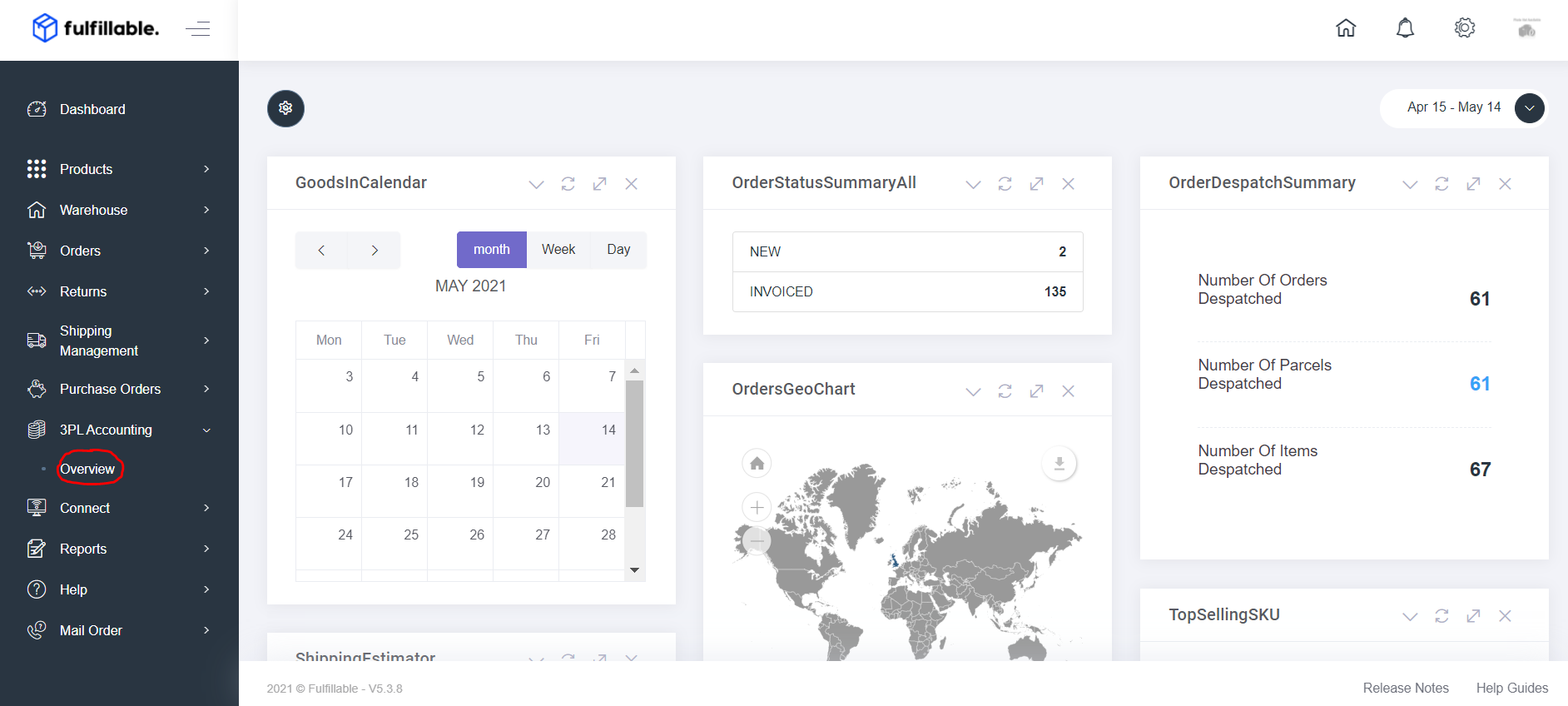
1) Log in to your Fulfillable Dashboard and head to 3PL Accounting>Overview.
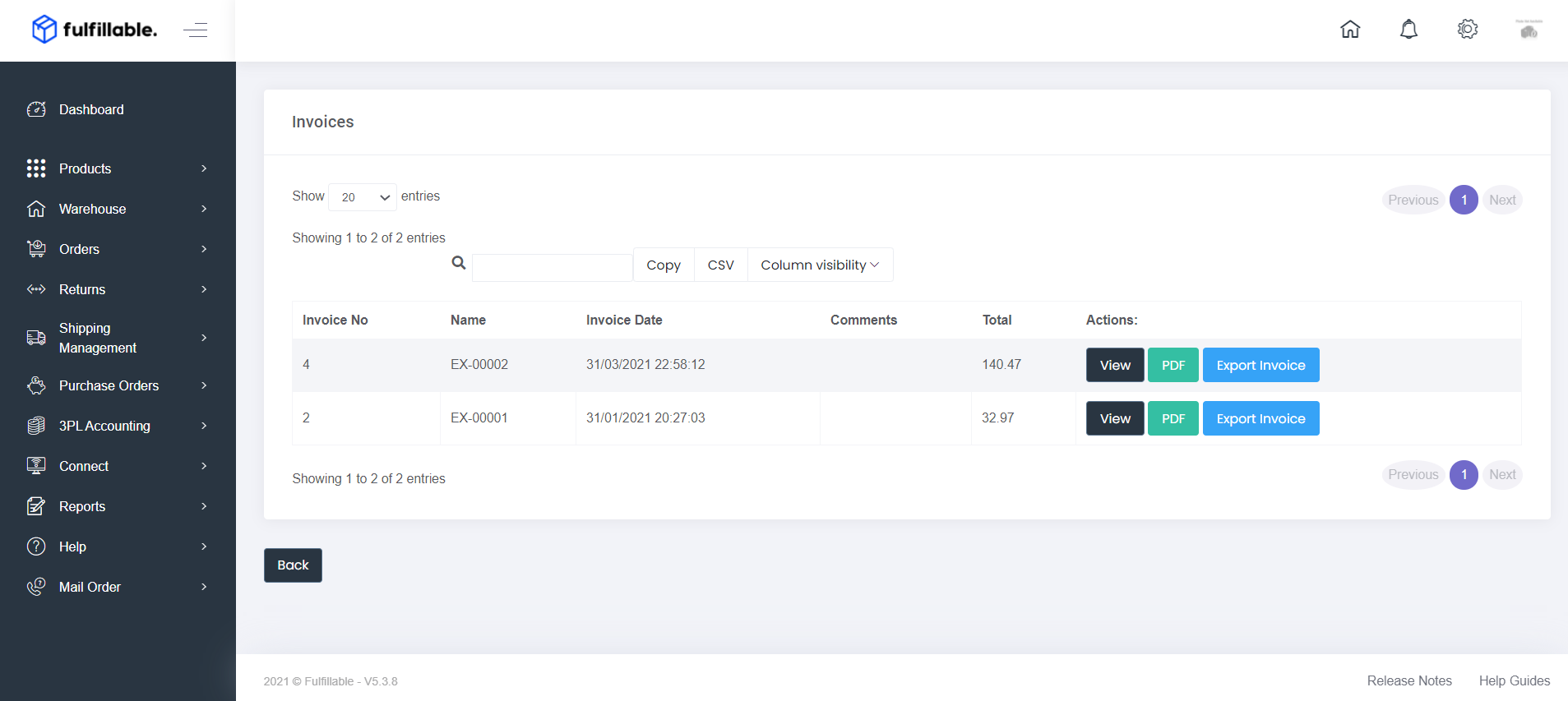
2) From here you have three options.
- You can view your invoice and breakdown by clicking the grey "View" button.
- Download a PDF summary by clicking the green "PDF" button.
- Export a CSV with a full breakdown using the blue "Export Invoice" button.
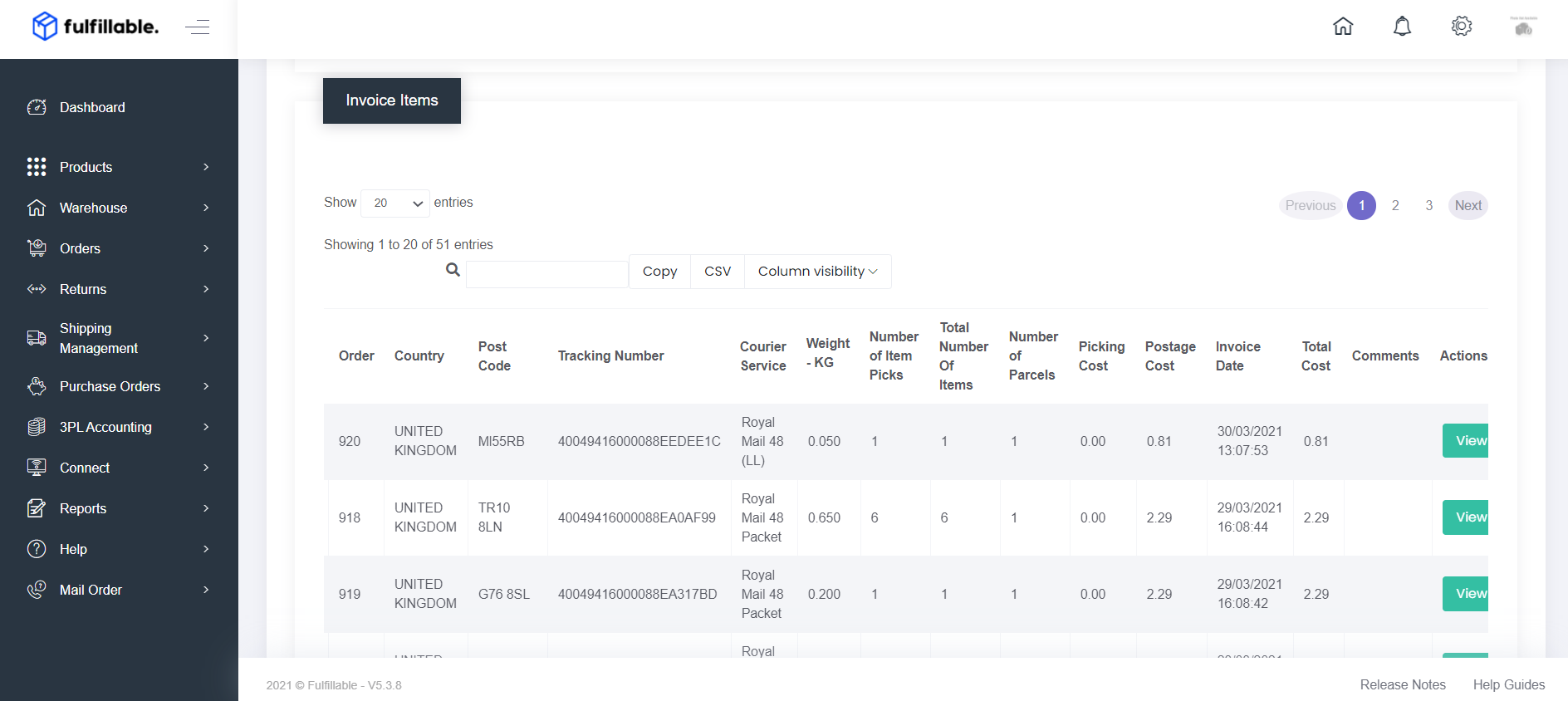
3) By clicking "View" you will be presented with a full itemised breakdown per order along with the total cost.
Comments
0 comments
Please sign in to leave a comment.