Overview
Most clients choose to automatically import products from their sales channels. This is the easiest and most simple way of setting up your entire Fulfilment operation.
- New products sync to Fulfillable every 60 minutes
- Products sync can be manually triggered for some channels
- We can import product data such as weights and dimensions from most channels
- By automatically syncing new products you only have to add the product to your store, saving time and increasing efficiency.
Setup
Product sync is usually configured for you during onboarding, but if you wish to to turn it On or Off you can follow the steps below.
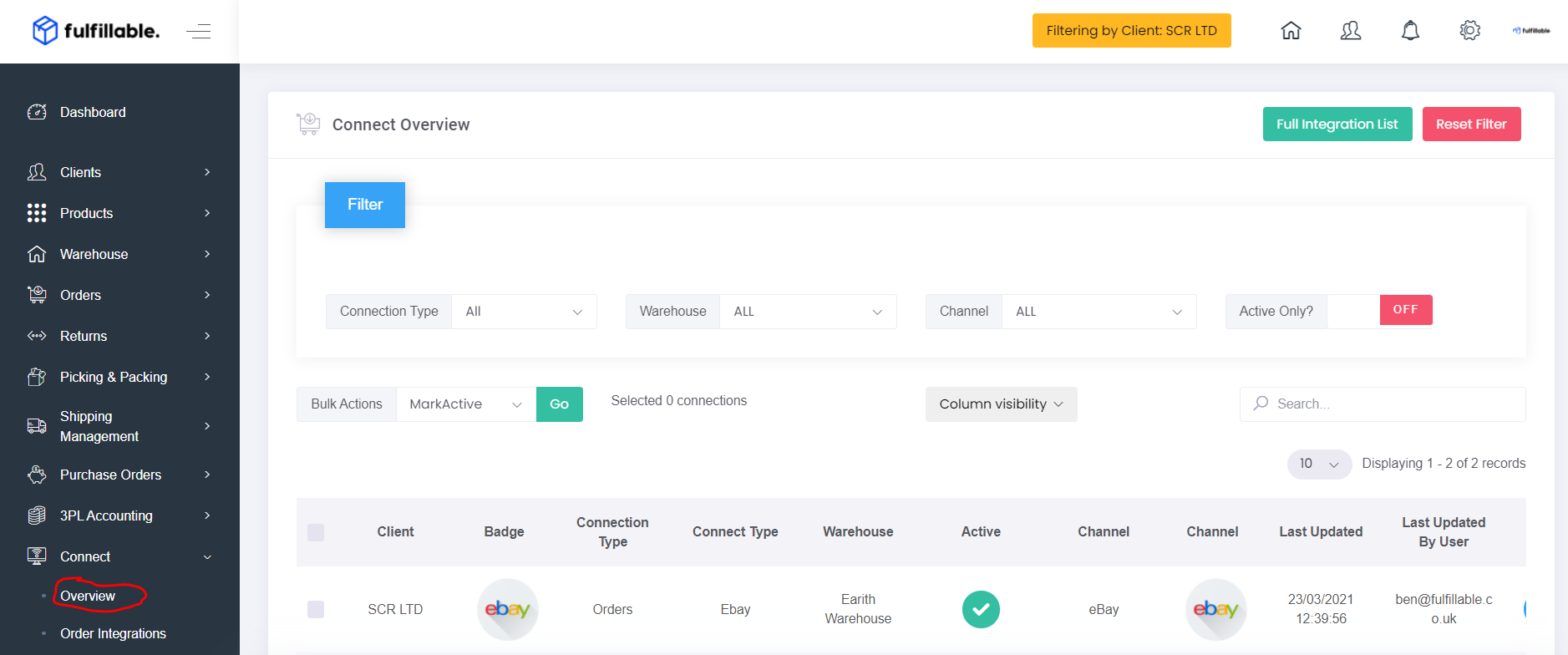
1) From your Fulfillable dashboard navigate to Connect>Overview.
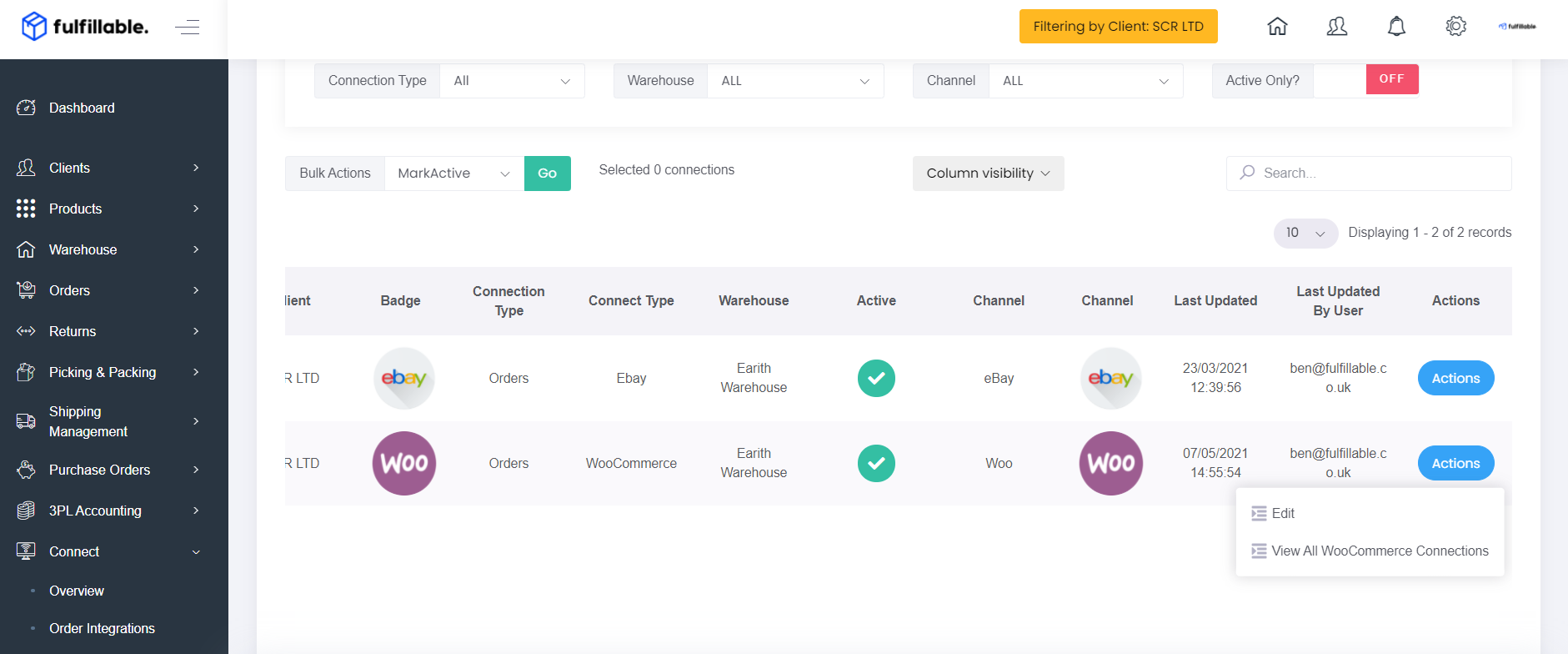
2) From the actions drop down on your selected channel click "Edit"
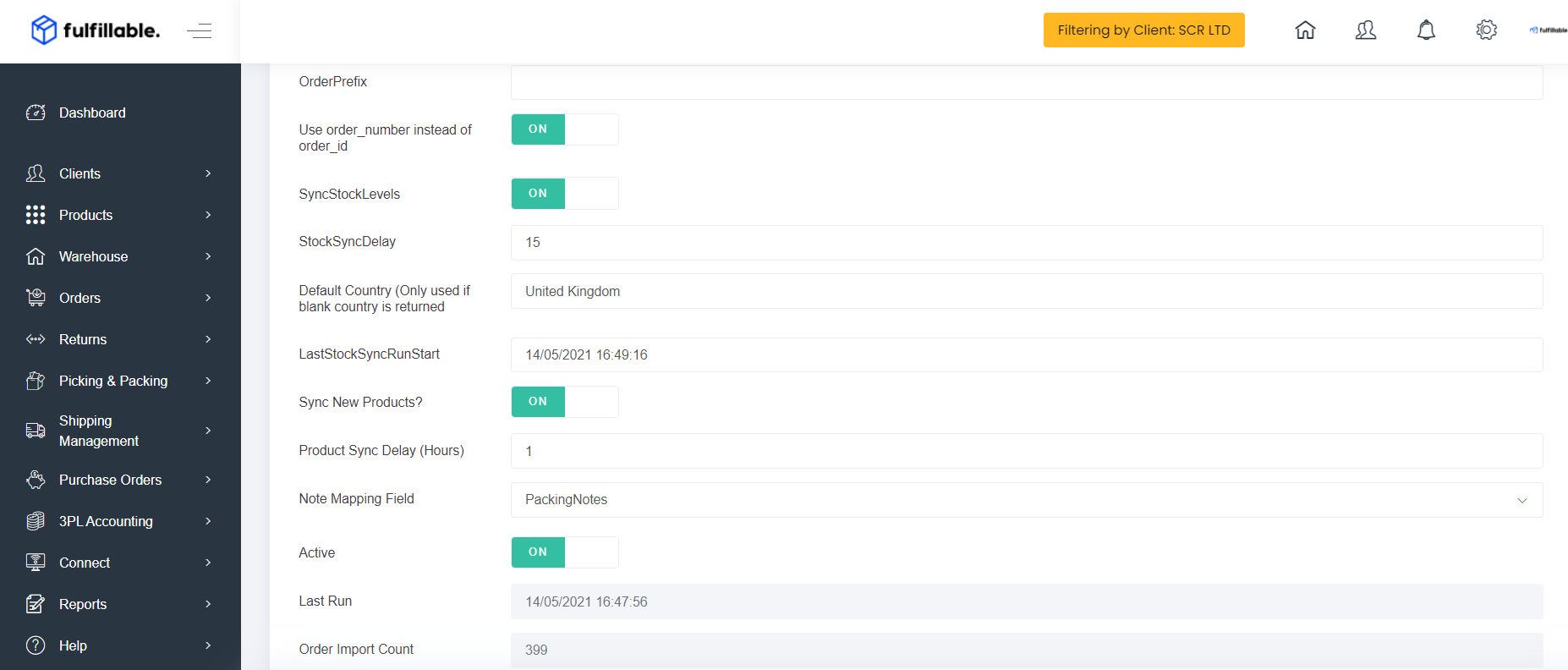
3) Turn "Sync New Products" On or Off as required
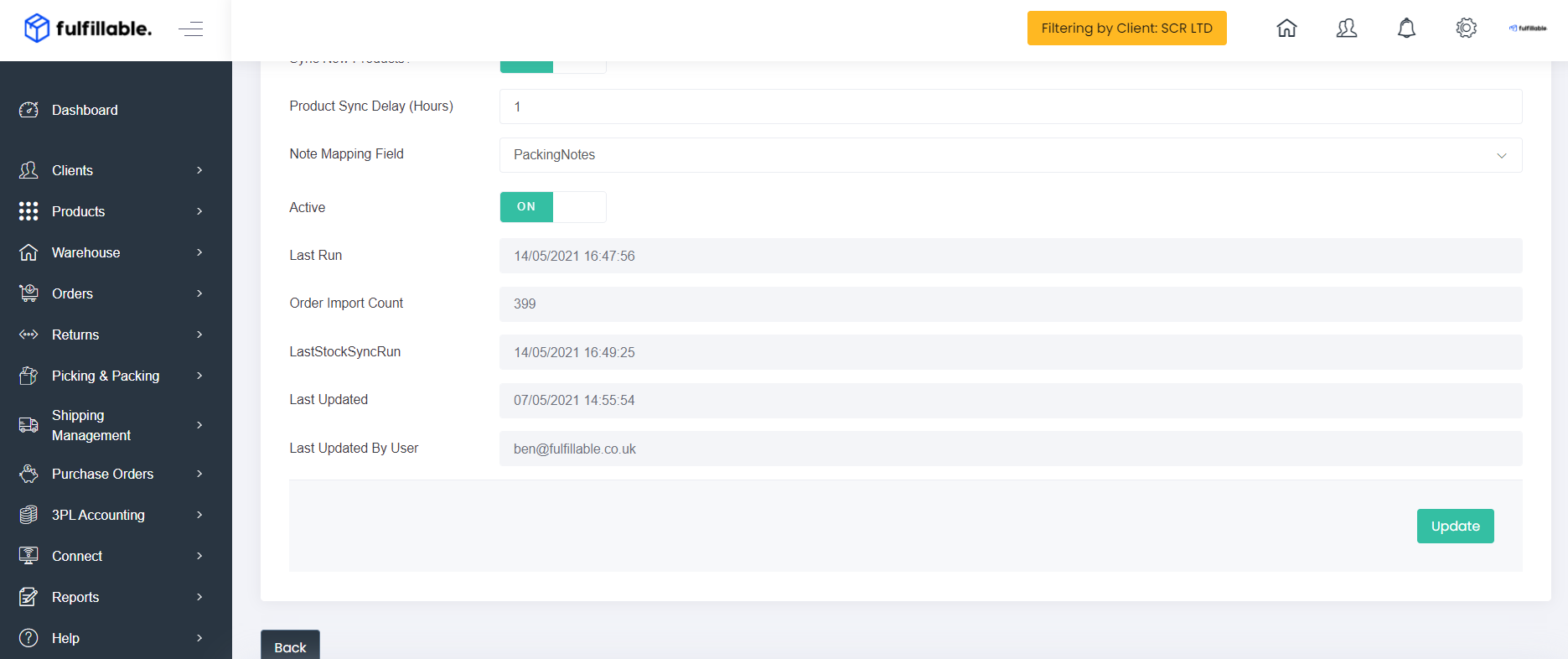
4) Click update - changes will apply in around 15 minutes.
Comments
0 comments
Please sign in to leave a comment.