Integration Summary
- Import Orders from LimeLight
- Send Tracking Detail Back to LimeLight
- Mark as Shipped
- Import New Products from LimeLight
Credentials
Please contact your LimeLight Account Manager to acquire credentials.
Setup the connection in Fulfillable
First step is to Acquire the API Username & Password from LimeLight. This can be done as follows:
Login to LimeLight
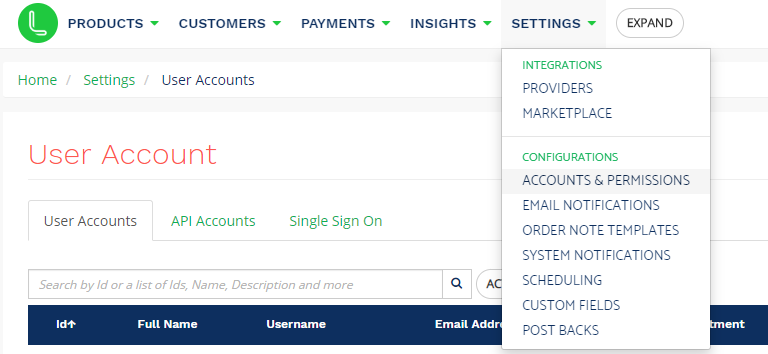
Navigate to Settings -> Accounts & Permissions
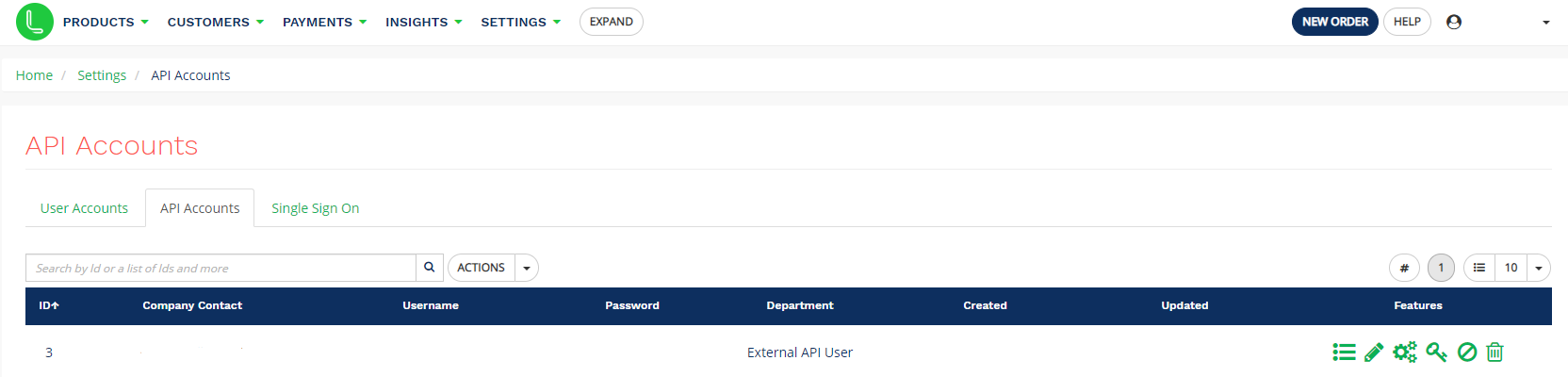
Navigate to the API Accounts Tab:
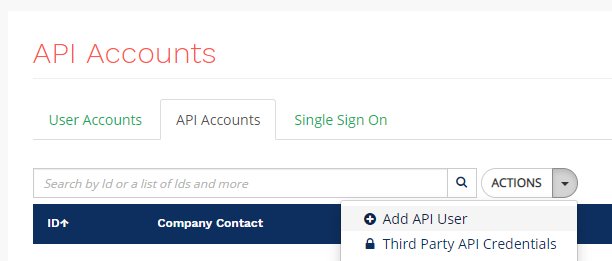
Select Actions -> Add API User
Complete the Form as Below:
This will create the API User and provide the Username & Password.
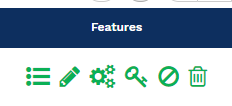
Next Step is to allocate the relevant permissions to the new Account. This can be done by navigating to the Settings Cogs, next to the new user account:
Then enable the following permissions. Fulfillable requires these for this integration to function correctly:
- order_find
- order_update
- order_view
- product_index
To finish the process, save the permission changes.
Once the API keys and ID have been acquired, the connection can be configured within Fulfillable. To setup the integration in Fulfillable, Navigate to Connect > Order Integrations > LimeLight
Comments
0 comments
Please sign in to leave a comment.