Overview
The Inventory Planner integration with Fulfillable supports the following workflows
- Inventory Planner Purchase Order > Fulfillable ASN
- Product Data from Fulfillable > Inventory Planner
- Inventory Data from Fulfillable > Inventory Planner
- Supports Multi-Warehouse
Connection Setup
First you will need an inventory planner account - sign up here:
https://app.inventory-planner.com/signup
When you are ready to connect go to this page:
And simply enter your Fulfillable username & password
ASNs / Purchase Orders
All ASNs that are placed in Fulfillable will automatically import to Inventory Planner as a Purchase Order.
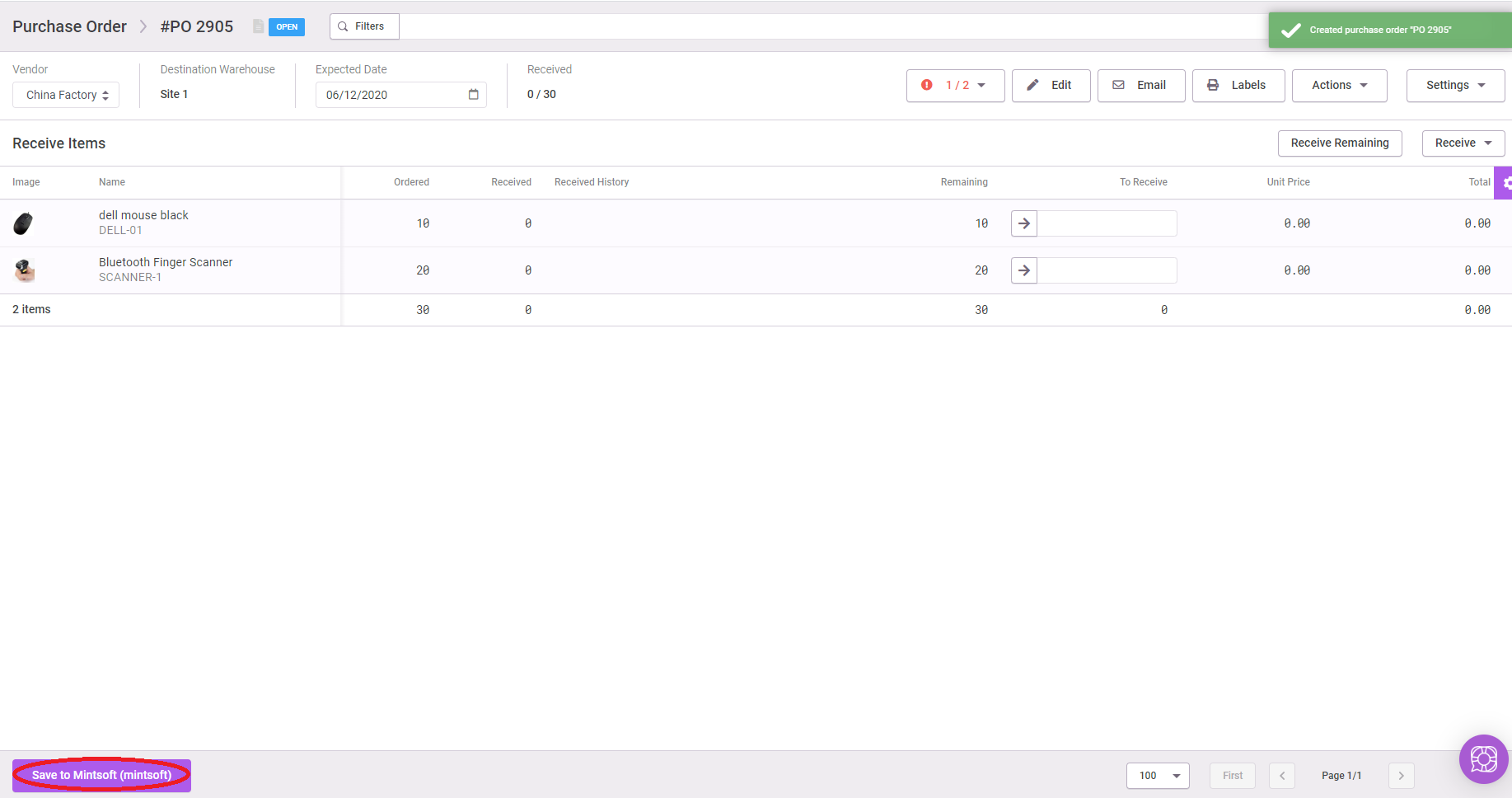
However you can also place a Purchase Order on Inventory Planner and Save it to Fulfillable as an ASN by clicking the button to save to Fulfillable after you have created a PO in the bottom left on Inventory Planner:
Comments
0 comments
Please sign in to leave a comment.